Physical Computing Week 7 Blog: progress update on calm tuner
A few weeks ago I envisioned this project being a calming stone: a weighted pebble beside the laptop that would pulse light and vibration for you to breathe along with. The feedback I got was to focus on touch and proximity as inputs, and on the gestures they could suggest. That pushed me through a few directions (a knock-to-ask weather stone, a door-mounted object, a lean-back sensor) before I landed on tuning.
The concept
zen.fm is a small radio that only plays one station: calm. The station is hidden somewhere on the dial, and every 15 minutes it drifts to a new spot. To stay in your moment of calm, you have to notice it’s gone and tune back to it.
Two rules that govern the interaction:
- You can’t scroll your way to calm. Turning the knob fast only brings static. Calm comes only when you slow down
- The light serves as a guide. As you get closer, the light steadies and on the station it settles into a slow breathe. The scren does the same thing, with the warbling circle surrounded by noise resolving into circle.
This came out of my own practice. When I’m vibecoding I get pulled in completely, and I wanted an object that makes that noise visible and asks me to slow down physically, not with another notification
What I built this week
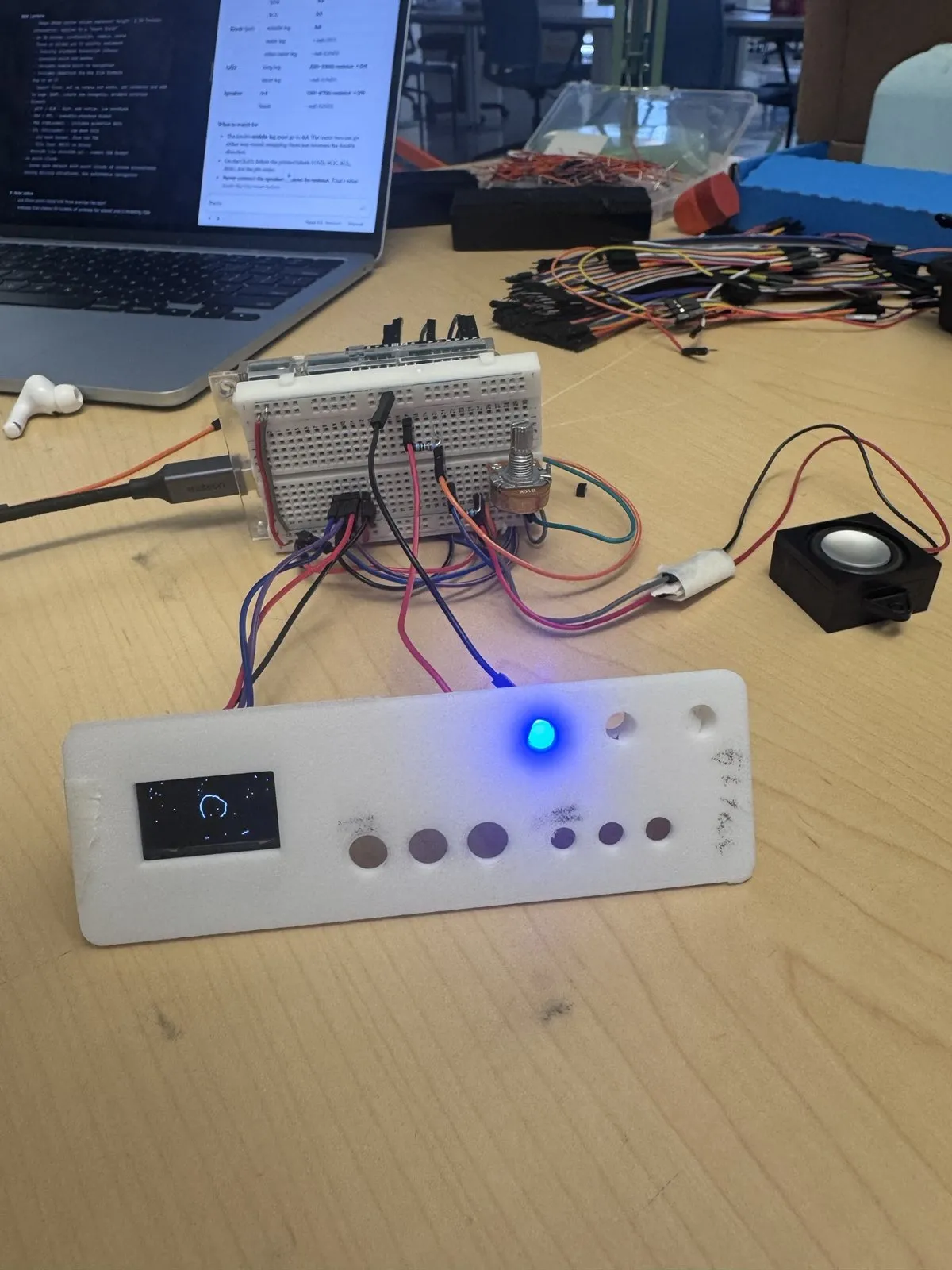
The interaction: a potentiometer as the dial, an OLED for the static and breathing circle, an LED guide, and a speaker. I added a quiet mode so it works in a library: sparse, low ticks when you’re out of tune and silence when you’re on the station.
Things I cut: a button for setting the timer duration, and a logo on the front. Both made the object busier without making the idea clearer.
Debugging: right before my presentation, everything stopped working: the dial didn’t respond, the serial output was garbage, the OLED went blank. The cause turned out to be a speaker wired without a resistor, which kept resetting the Arduino, plus jumpers that had come loose. Rebuilding from just the knob and screen and adding one part at a time fixed it. I also wrote a hardware test sketch that checks each part on its own, which I’ll use from now on.
Making it an object
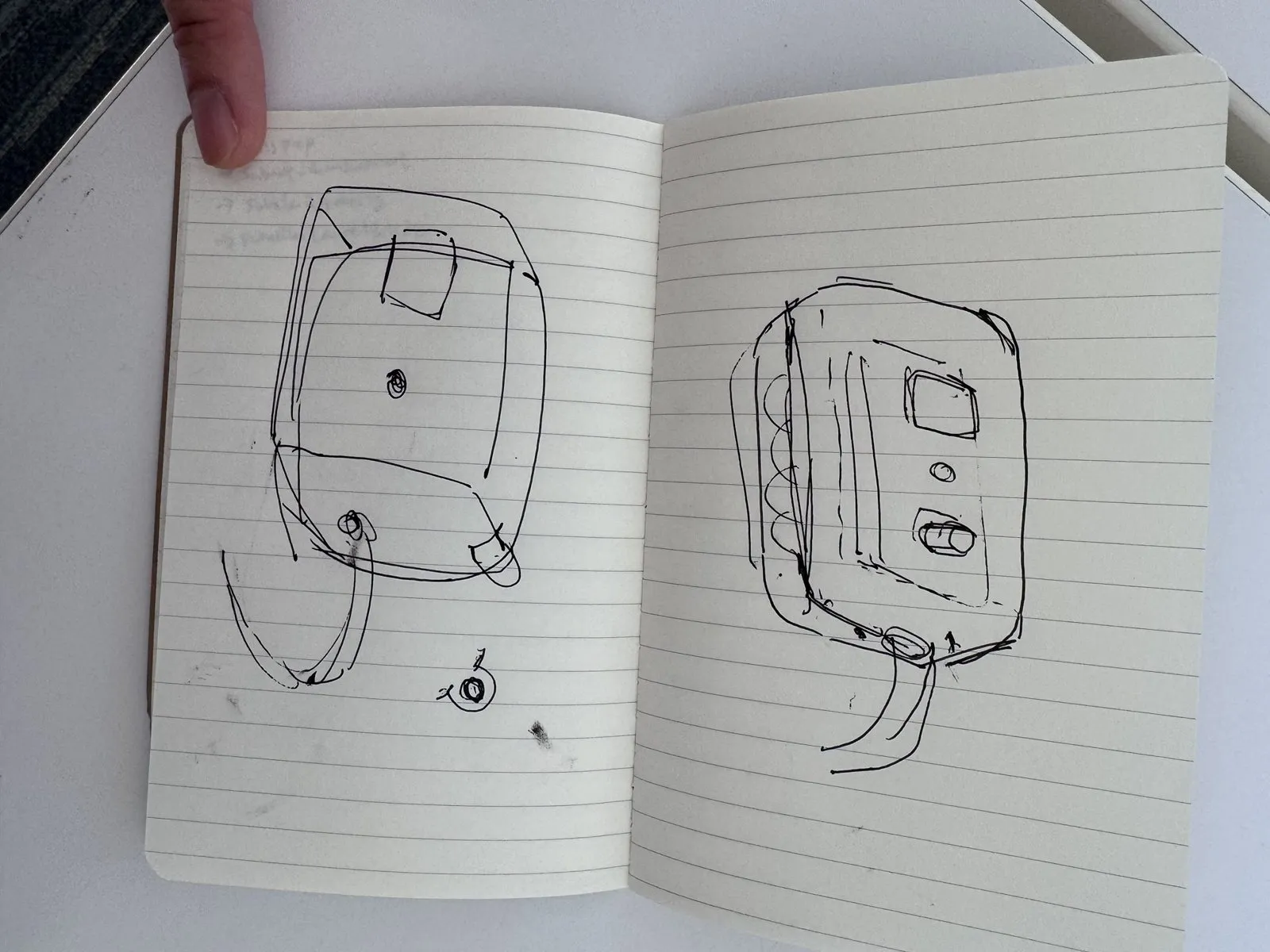 The breadboard kept coming apart every time I touched it, so the enclosure became the priority. I brainstormed several forms: a laser cut box, an upright 3d printed case and a pebble. I printed a fit test first to check the screen window, the LED hole and the knob hole, and that print changed my approach.
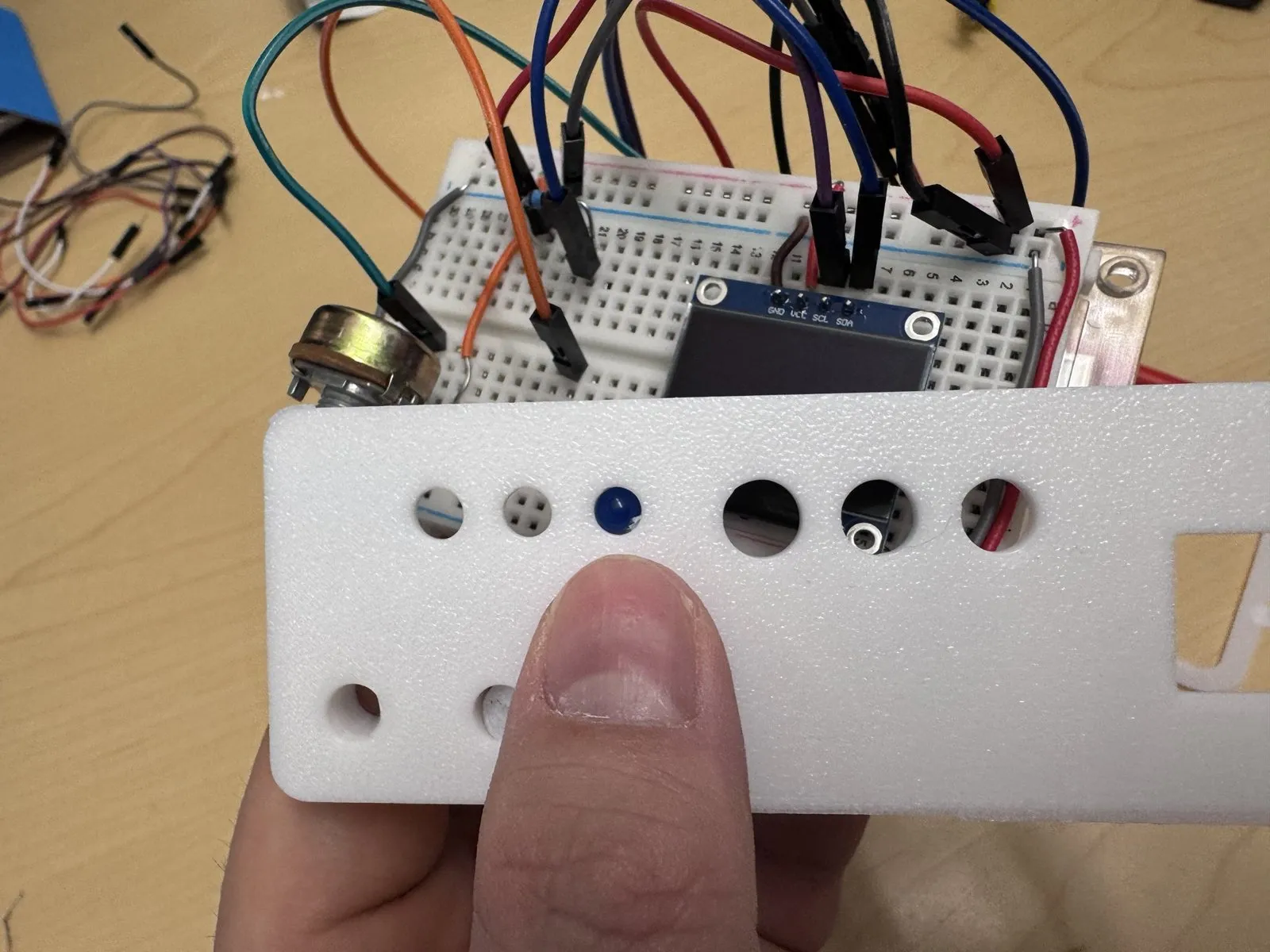 Instead of fitting the enclosure around the breadboard, every part you see or touch now mounts directly to the faceplate. The screen sits in a pocket, the LED sits in a small sleeve just behind its hole, and the knob will go through with its nut. The current version uses the fit test piece as a simple prototype.
 For the final form I looked at retro radios and landed on something reminiscent of 80s tech: a rounded shell with a chunky rim, a recessed faceplate, horizontal speaker slots, side vents, three pinstripes, little feet and a ribbed knob. Since I’m printing in a single colour, all the character has to come from the form.
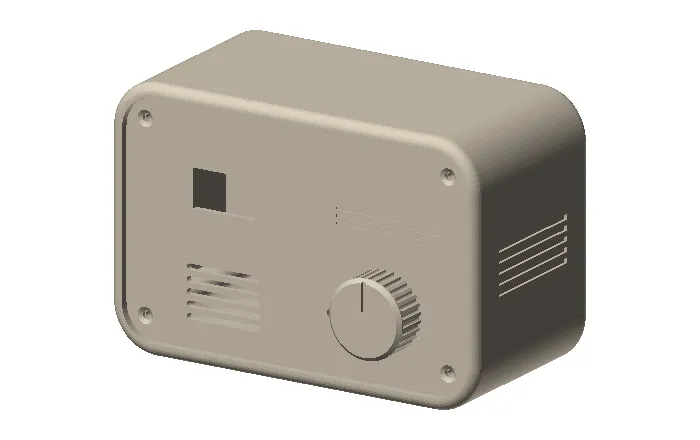 The shell, faceplate and knob are submitted to the Sam Fox print queue.
Next
- Assemble the parts on the faceplate and close up the enclosure
- Move from the breadboard to a soldered proto shield, so nothing can come loose; or other strategies to keep it secure
- Test it in a real setting, like a library desk, and see whether the drifting station actually pulls me out of the screen